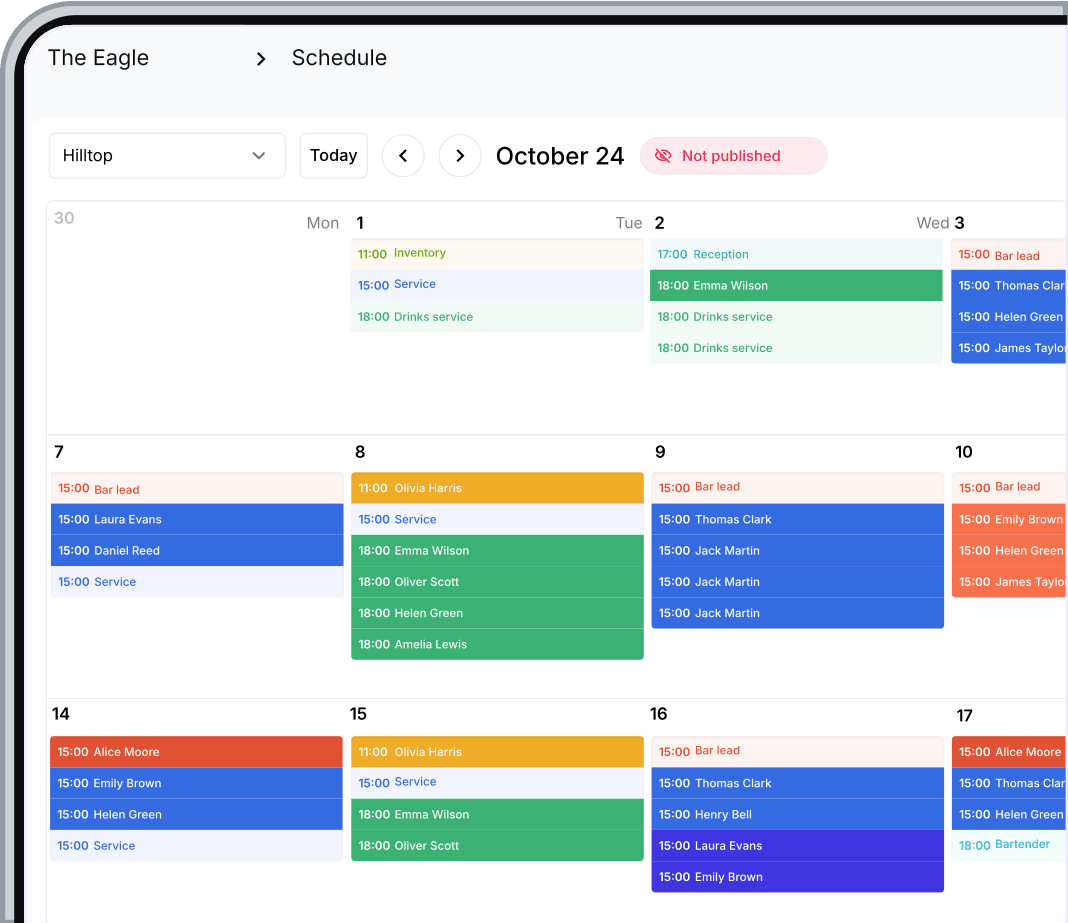
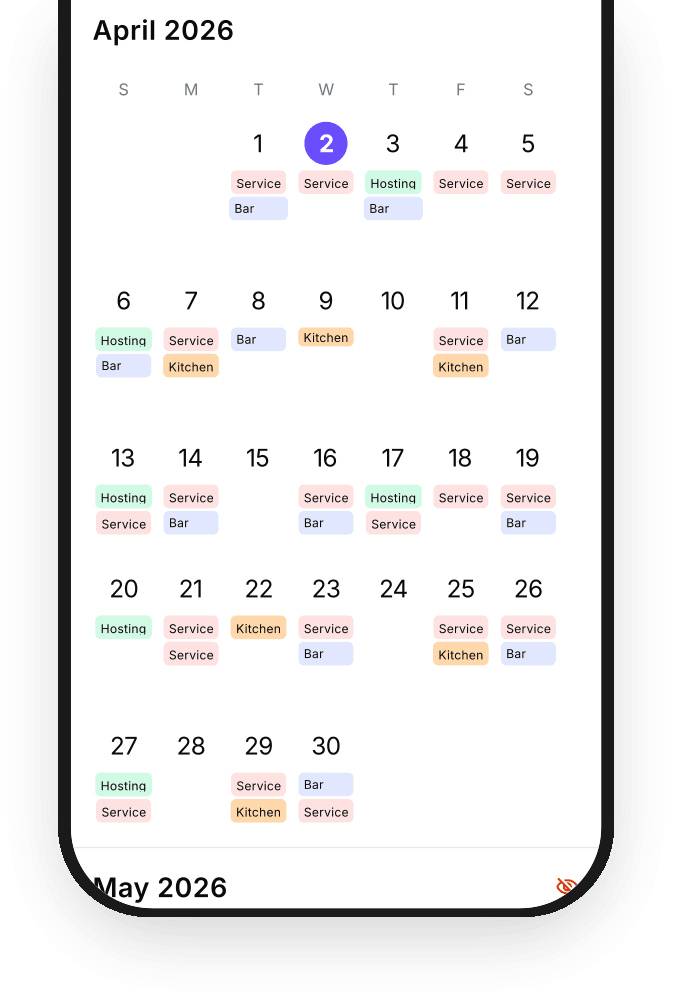
Build your schedule in the calendar.
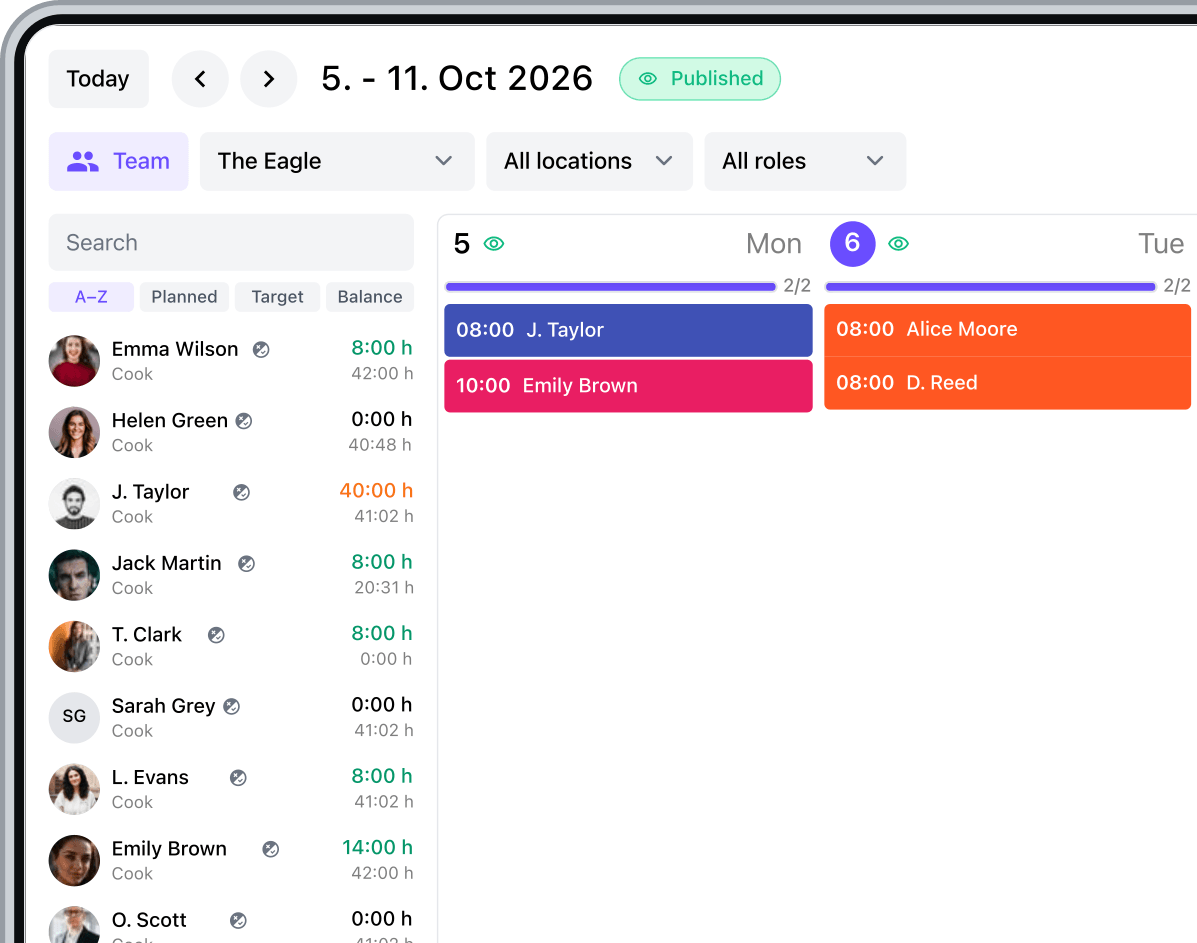
Create shifts individually or in bulk, copy what already works, and adjust the schedule as the week takes shape.

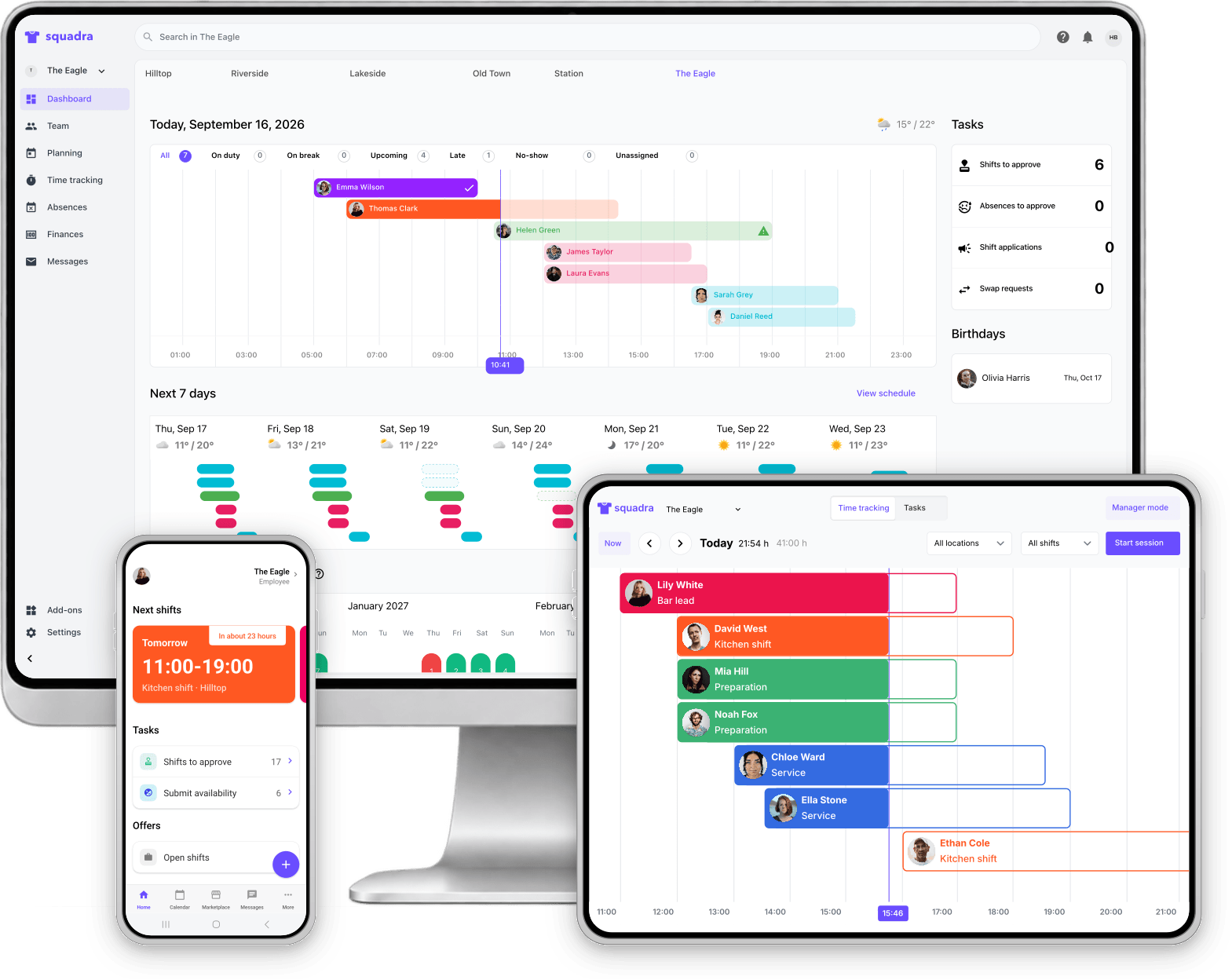
Keep your team, schedules, working hours and payroll prep together, so running the day-to-day takes less work.
No credit card required. Setup in under 10 minutes.





Squadra for restaurants
Five essentials. One Squadra. From the first shift to hours ready for payroll.

Shift planning

Work time control

Salaries

Time recording

Team management
Plan your shifts
Plan your week or month around availability and staffing needs, manually or with Squadra’s help.
Discover schedulingCreate shifts individually or in bulk, copy what already works, and adjust the schedule as the week takes shape.
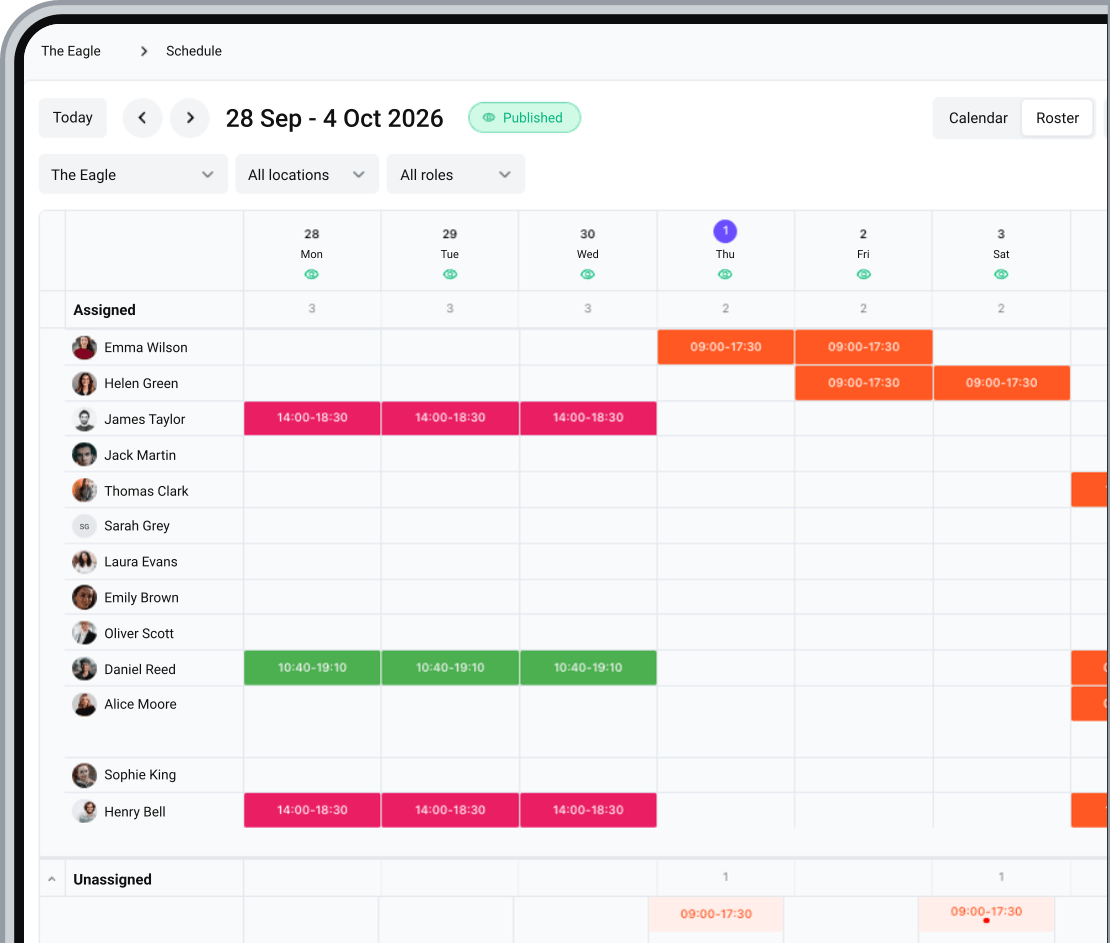
Use the calendar to plan around shifts and times, or switch to the roster for an employee-by-employee view.
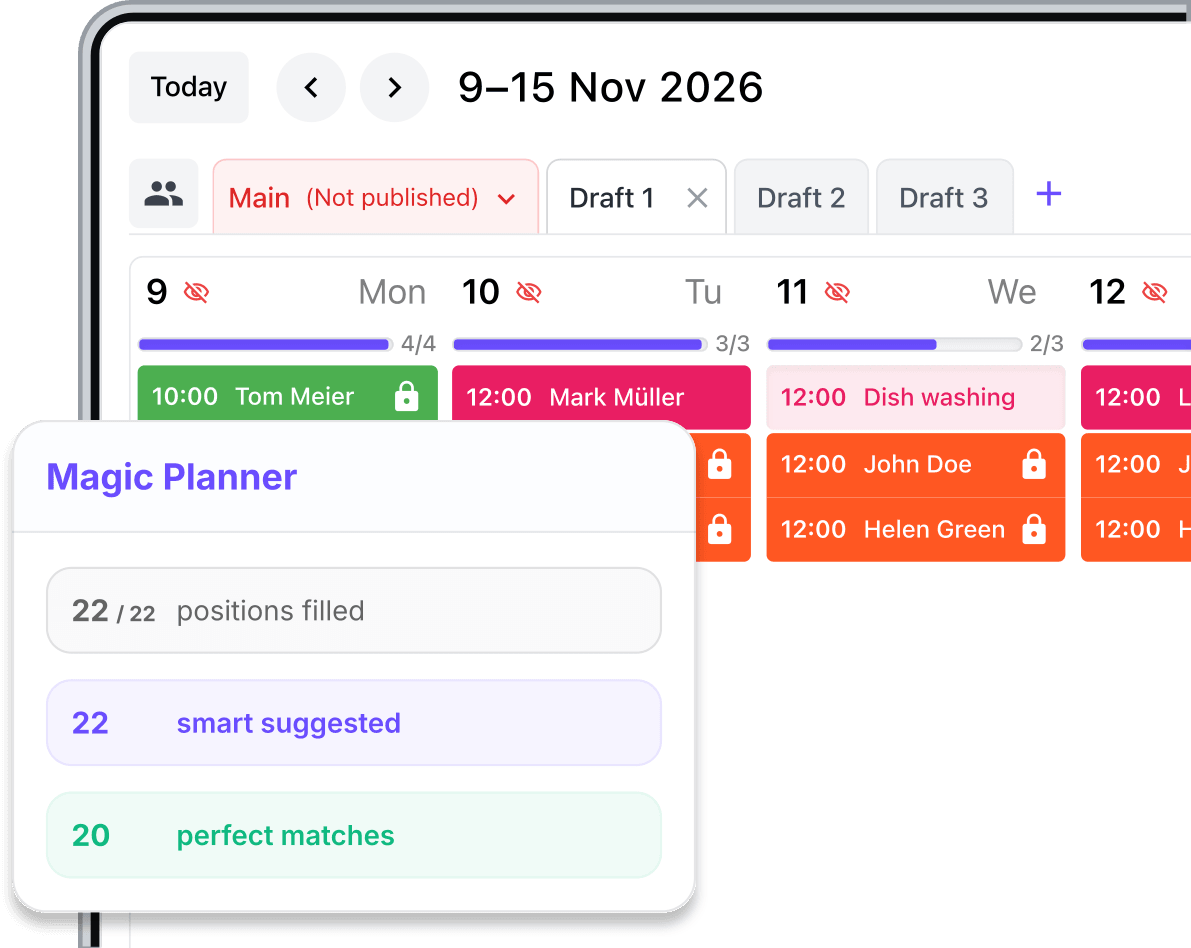
Use Squadra AI to suggest assignments based on availability, contract hours and the coverage you need.
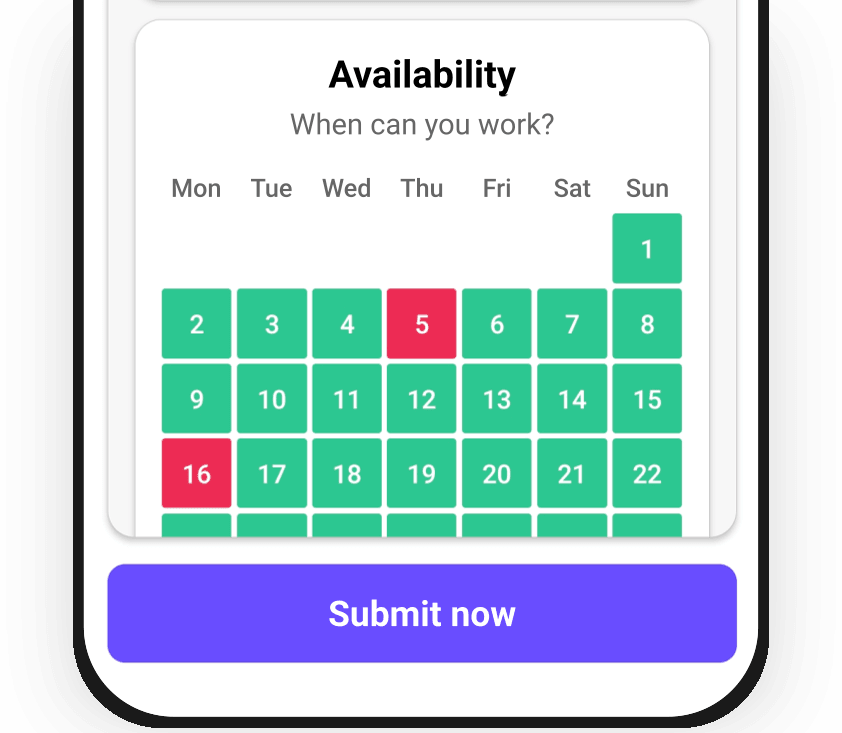
Employees submit their availability so you have it in front of you when building the schedule.
See how planned shifts affect each employee's hours before you publish.
When plans change
Find cover, arrange shift swaps and keep everyone informed when plans change.
Advertise unfilled shifts to eligible employees and let them apply.
Discover shift ads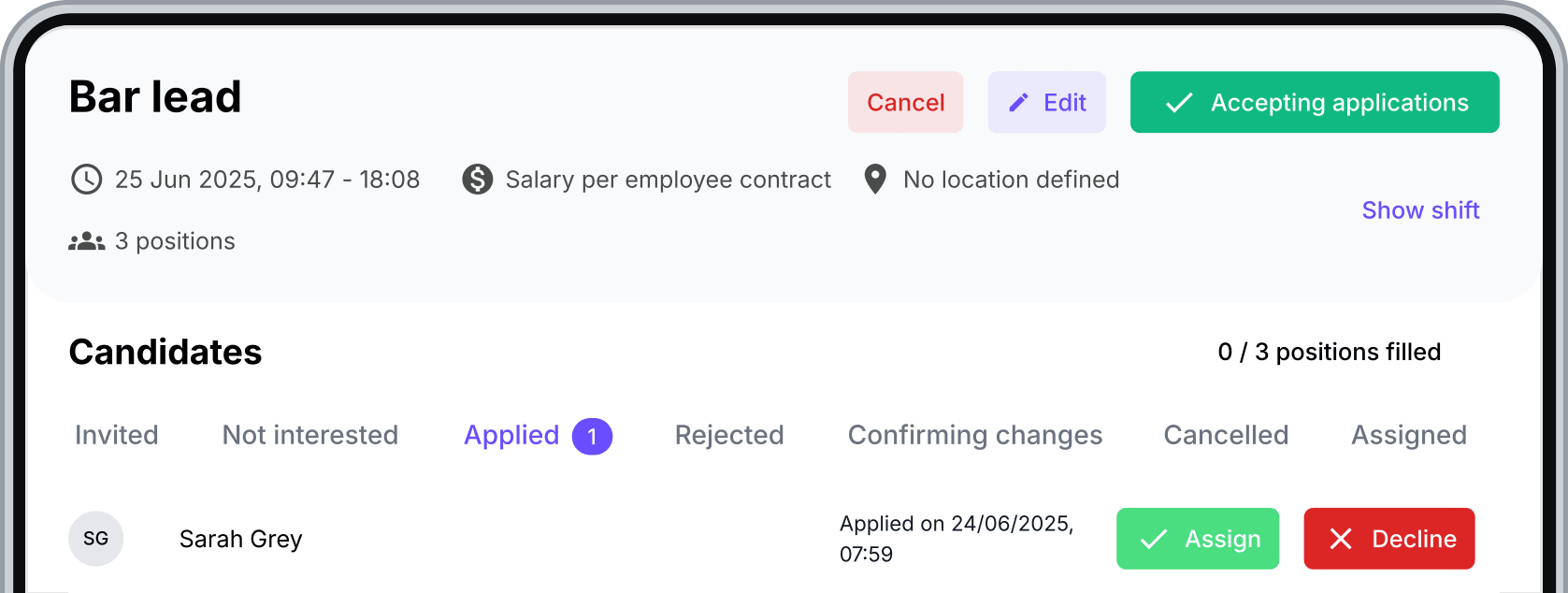
Employees can offer up a shift and eligible colleagues can apply. You stay in control of the final assignment.
Discover shift swaps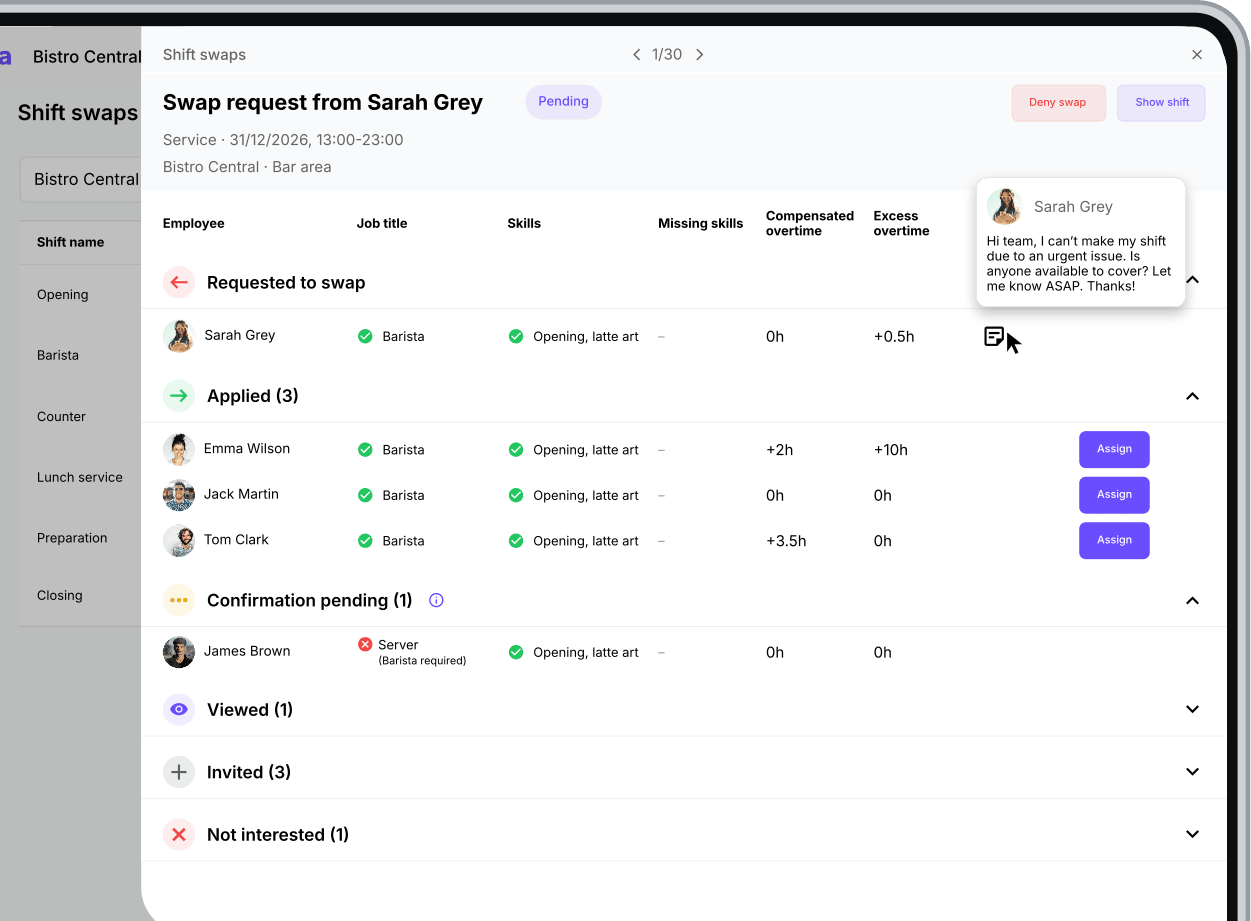
As soon as you publish schedule changes, your team is notified on the Squadra mobile app. Employees always see all their up-to-date shifts.
Use Squadra Chats for conversations that would otherwise disappear into group chats.
Discover chats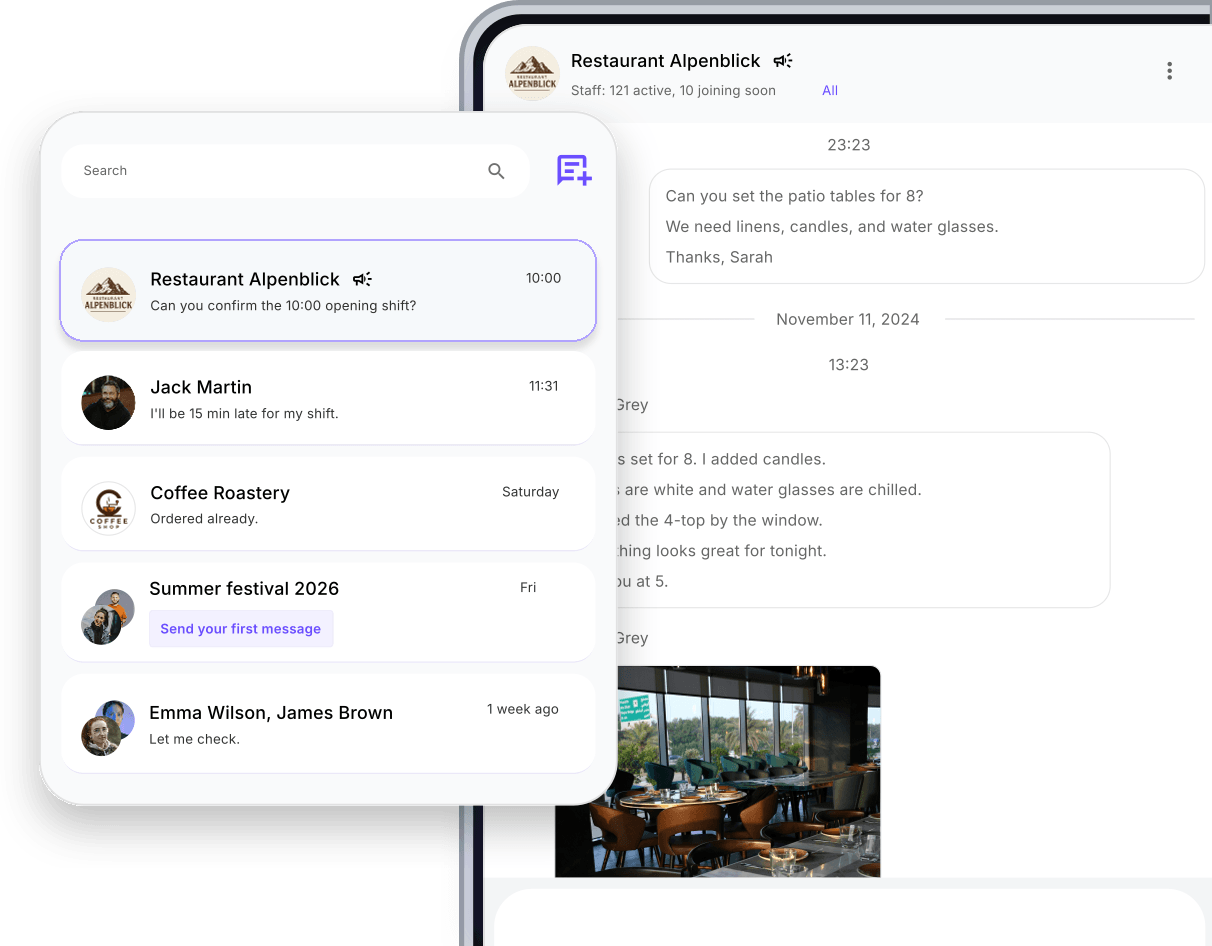
During the shift
Keep clock-ins, breaks and presence checks for every shift in one place.
Discover time trackingEmployees can clock in, start breaks and clock out directly in the Squadra app, from anywhere.
Discover Squadra mobile app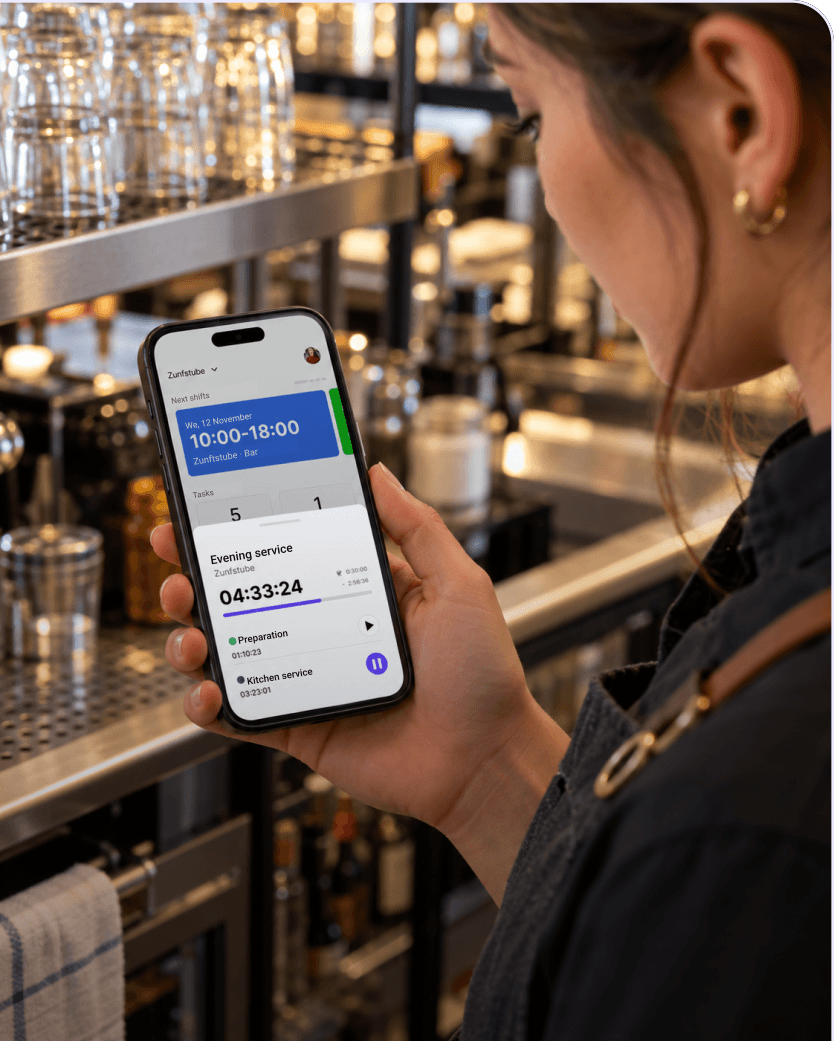
Phones away? No problem. Set up a shared Squadra station so kitchen and service staff can track their time without using a personal phone.
Discover Squadra Terminal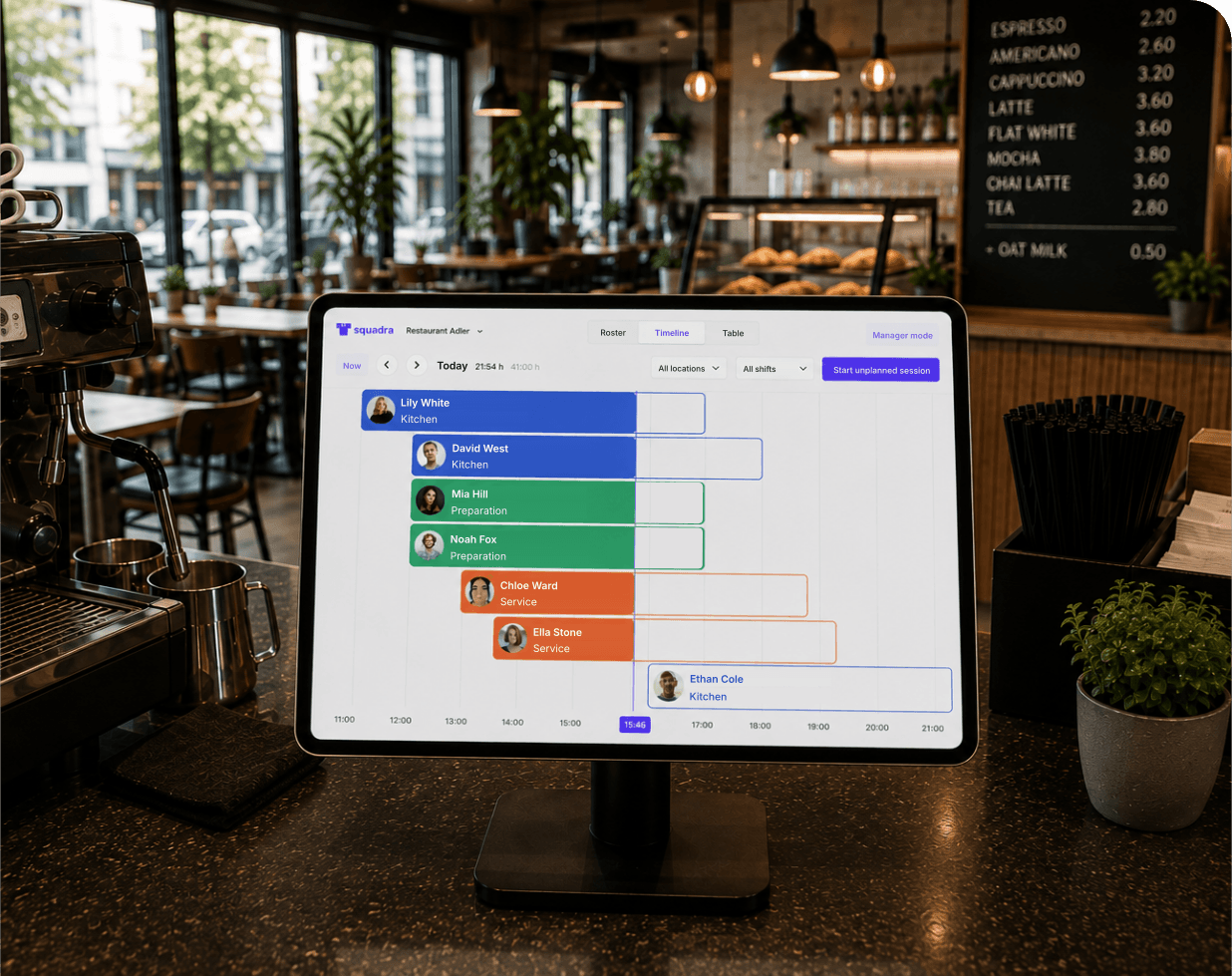
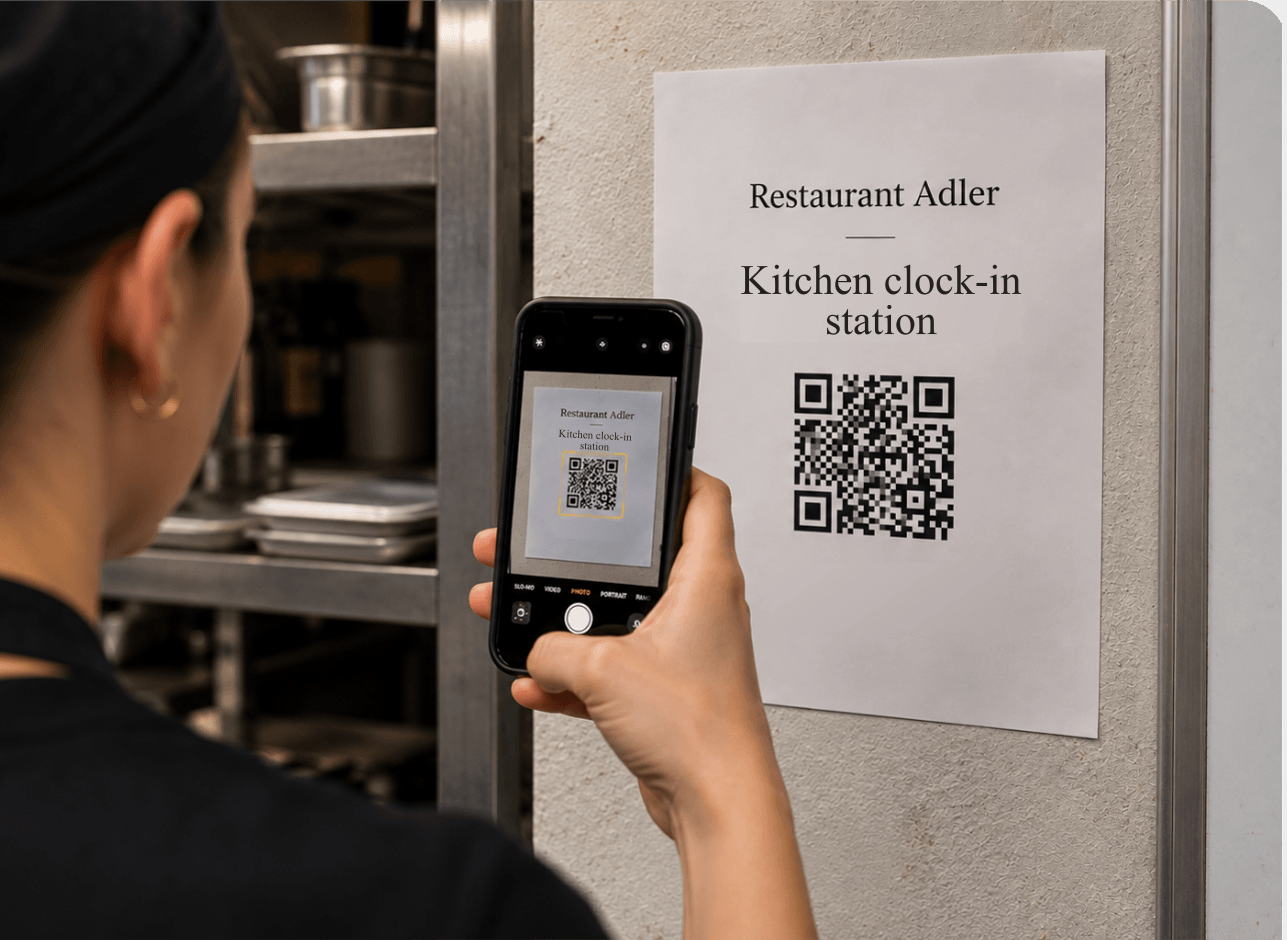
You can ask employees to scan a QR code to start, pause and end their shift. No badge terminals required.
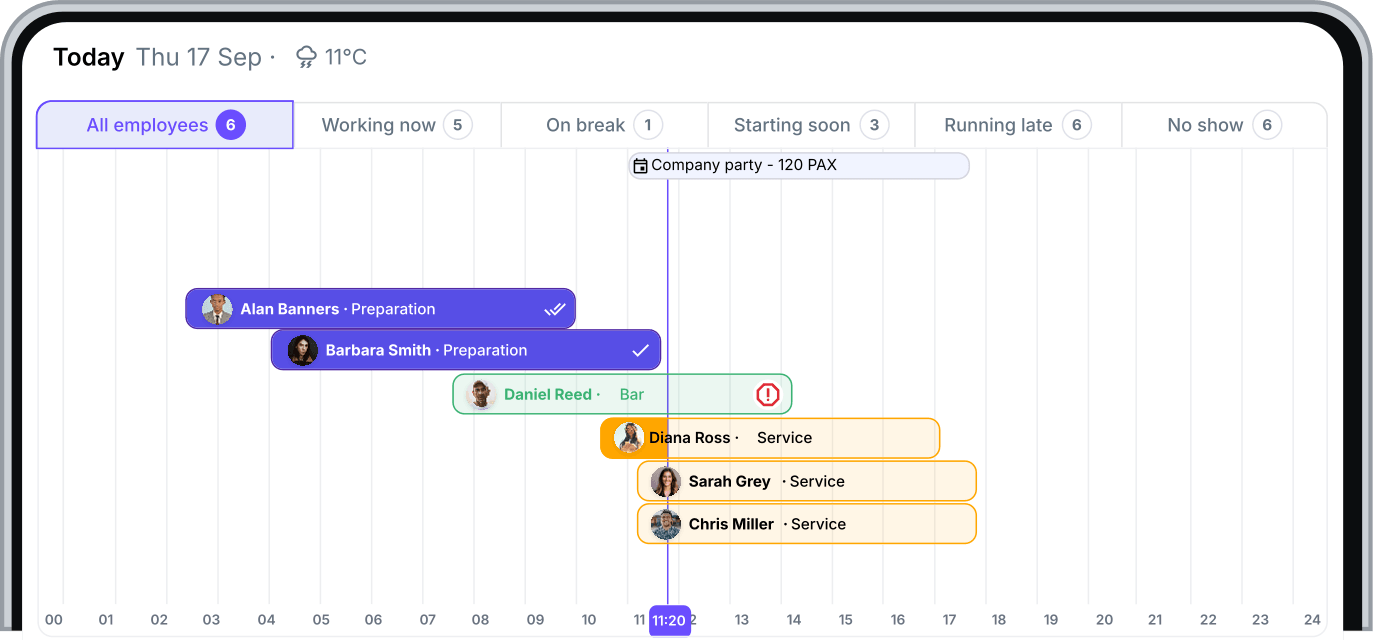
Check who has started, who is on break and who hasn't clocked in yet.
Give employees clear checklists for opening, closing, cleaning or recurring shift tasks. They can check off each task directly in the Squadra mobile app or on a shared tablet.
Discover checklists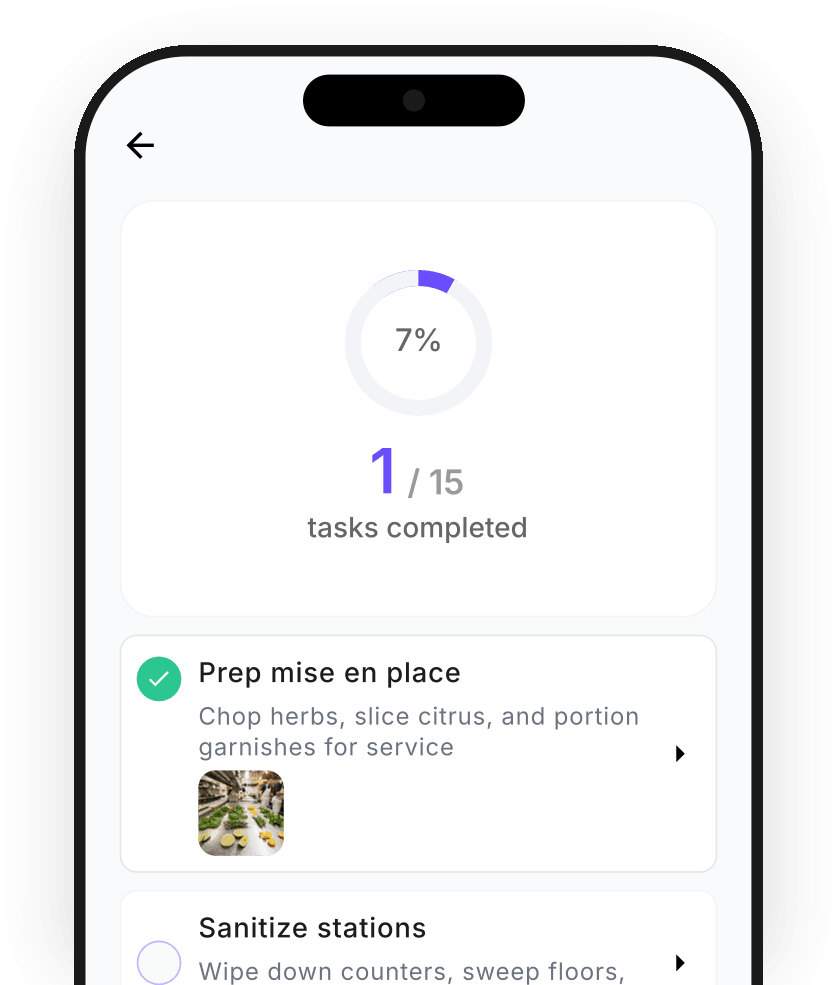
After the shift
Compare planned and recorded hours and resolve differences before payroll.
Discover work time controlLate clock-outs, changed breaks and other discrepancies are easy to find and correct.
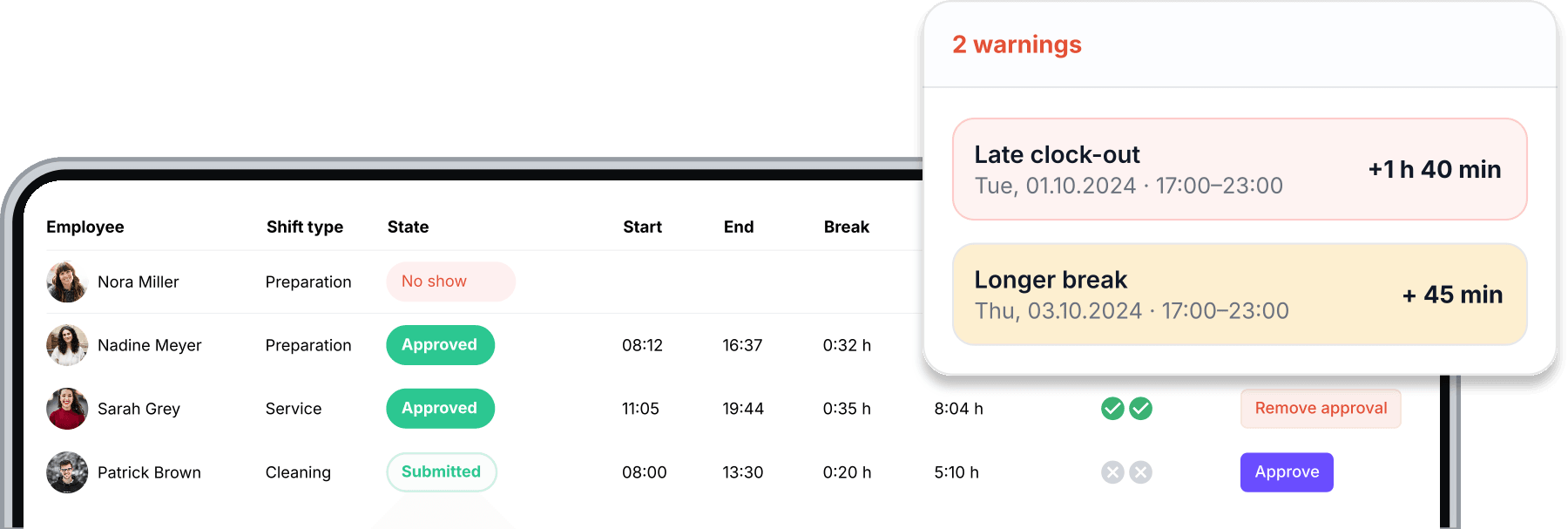
Review the complete story behind every worked session, from planning to the hours employees tracked and submitted.
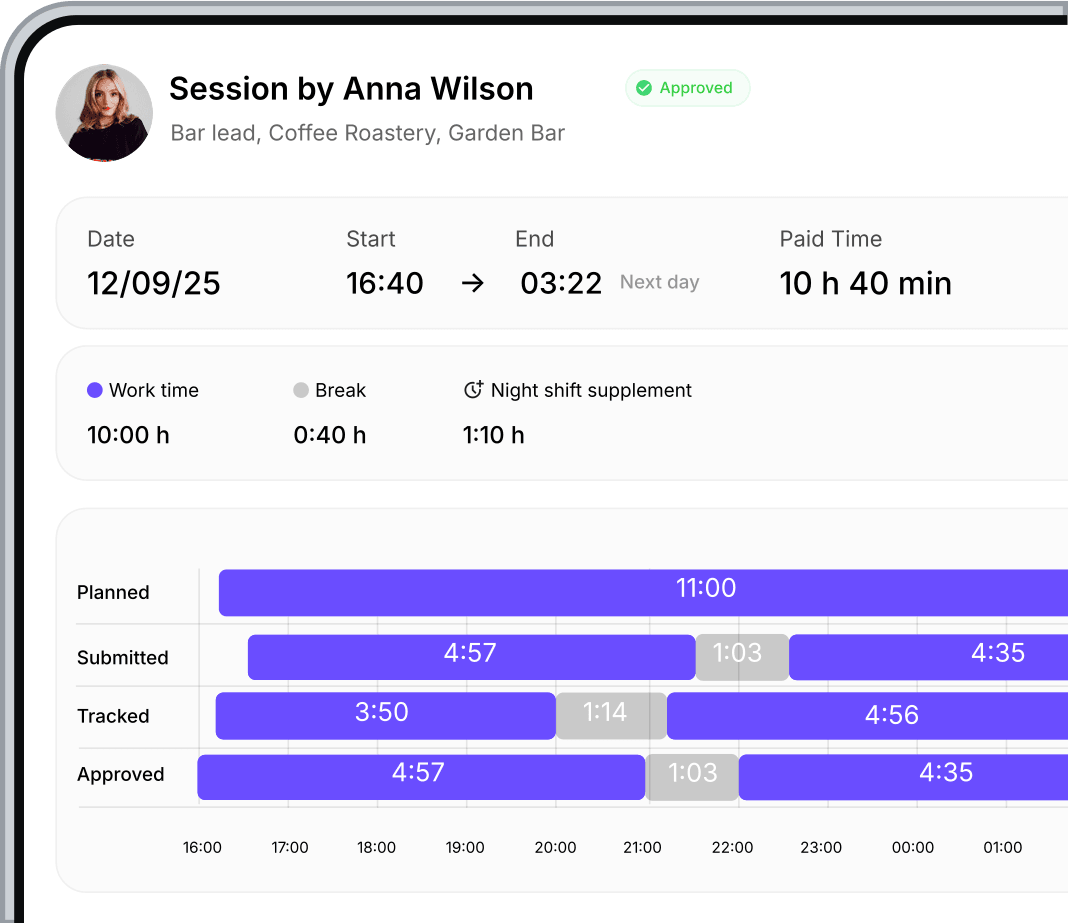
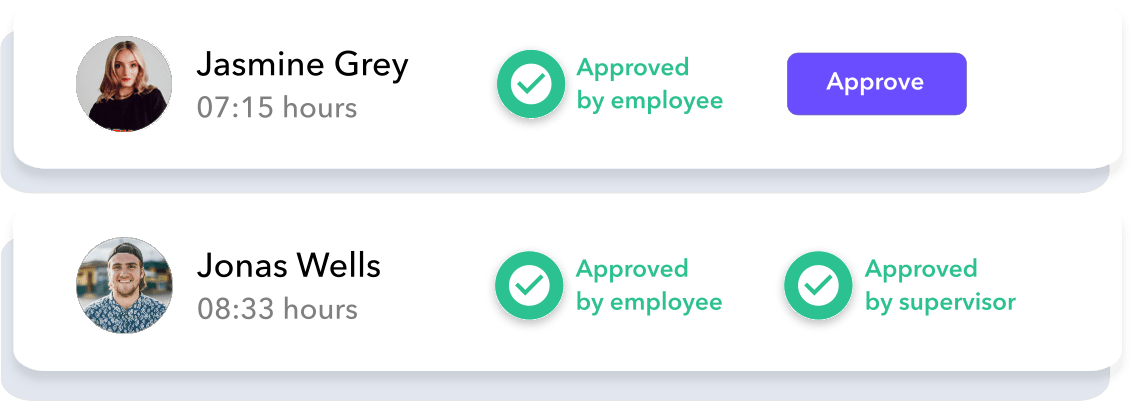
With Squadra’s double-approval system both employees and supervisors approve each work session.
Check completed tasks and attached photos and notes, so you can see what got done without extra follow-up.
Discover checklists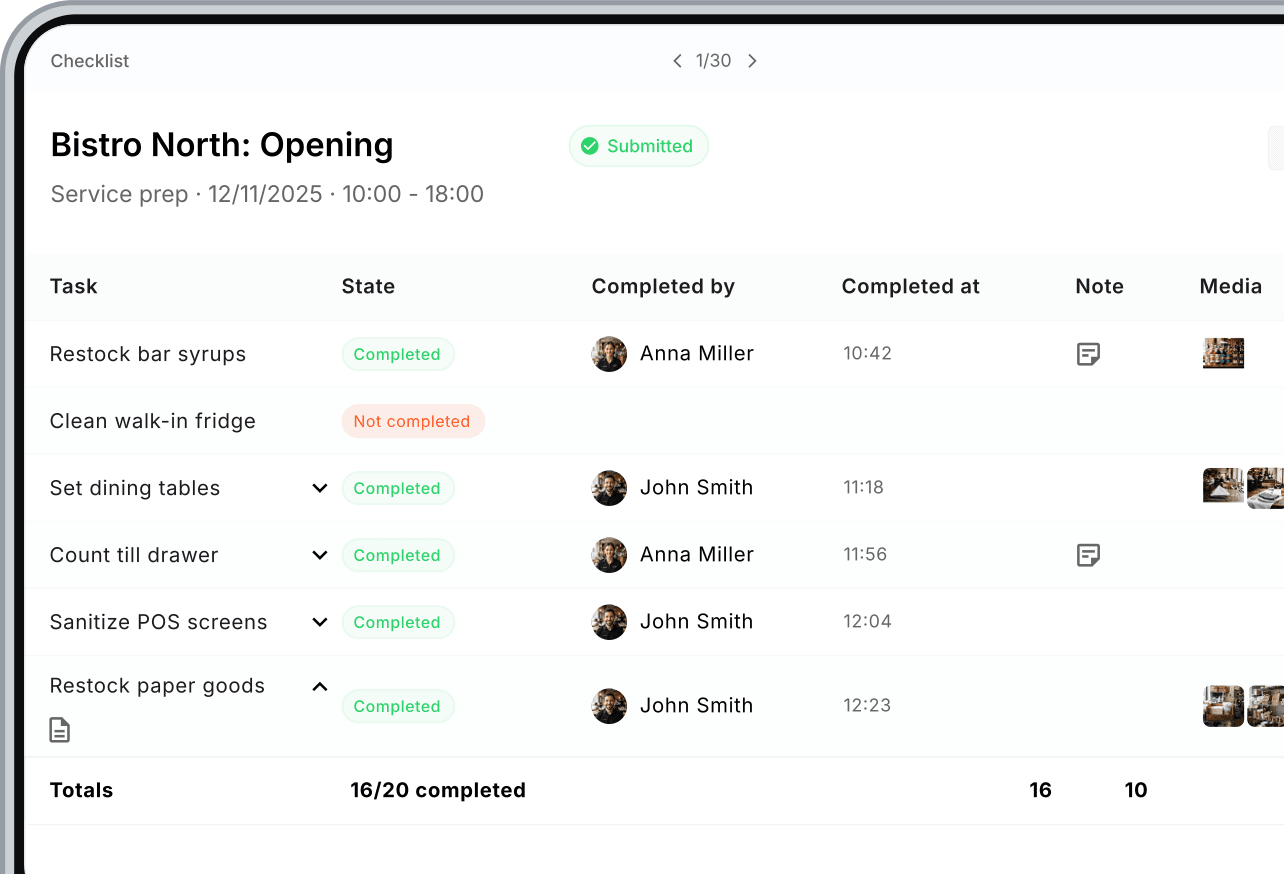
Your team
Invite new employees and keep their details, contracts and availability in one place.
Discover team managementEvery email address receives an invitation link. With this link, employees can join your company on the Squadra mobile app.
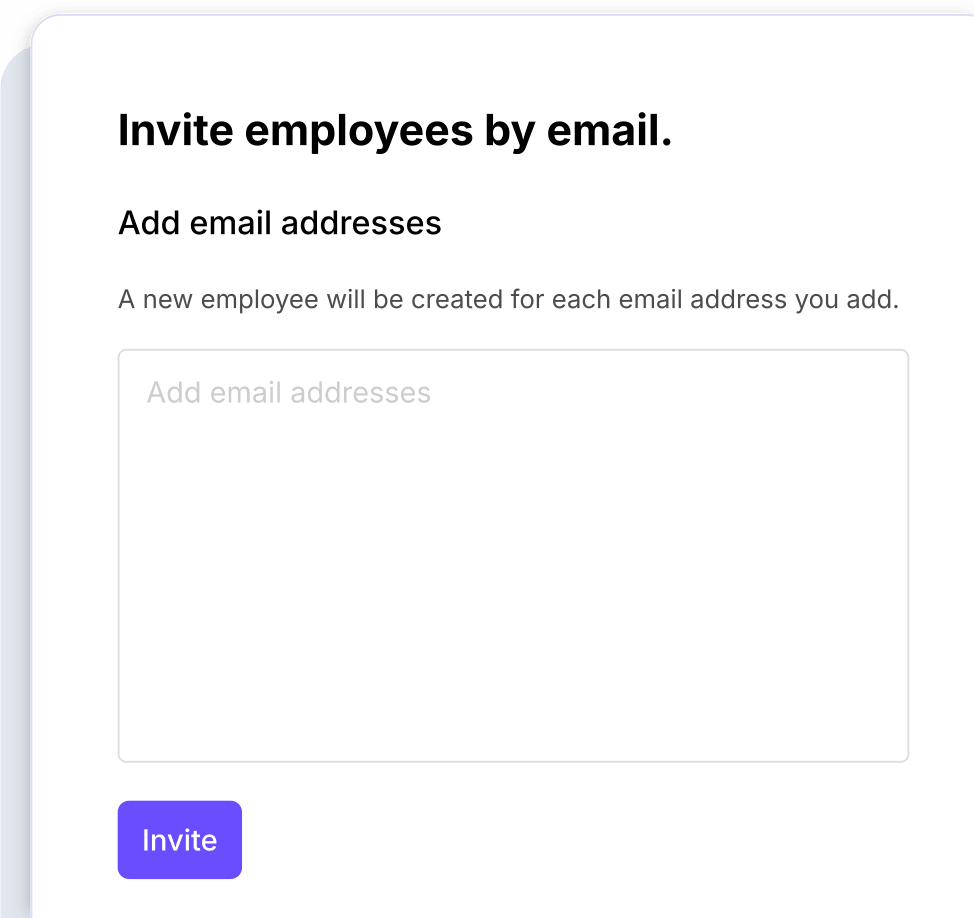
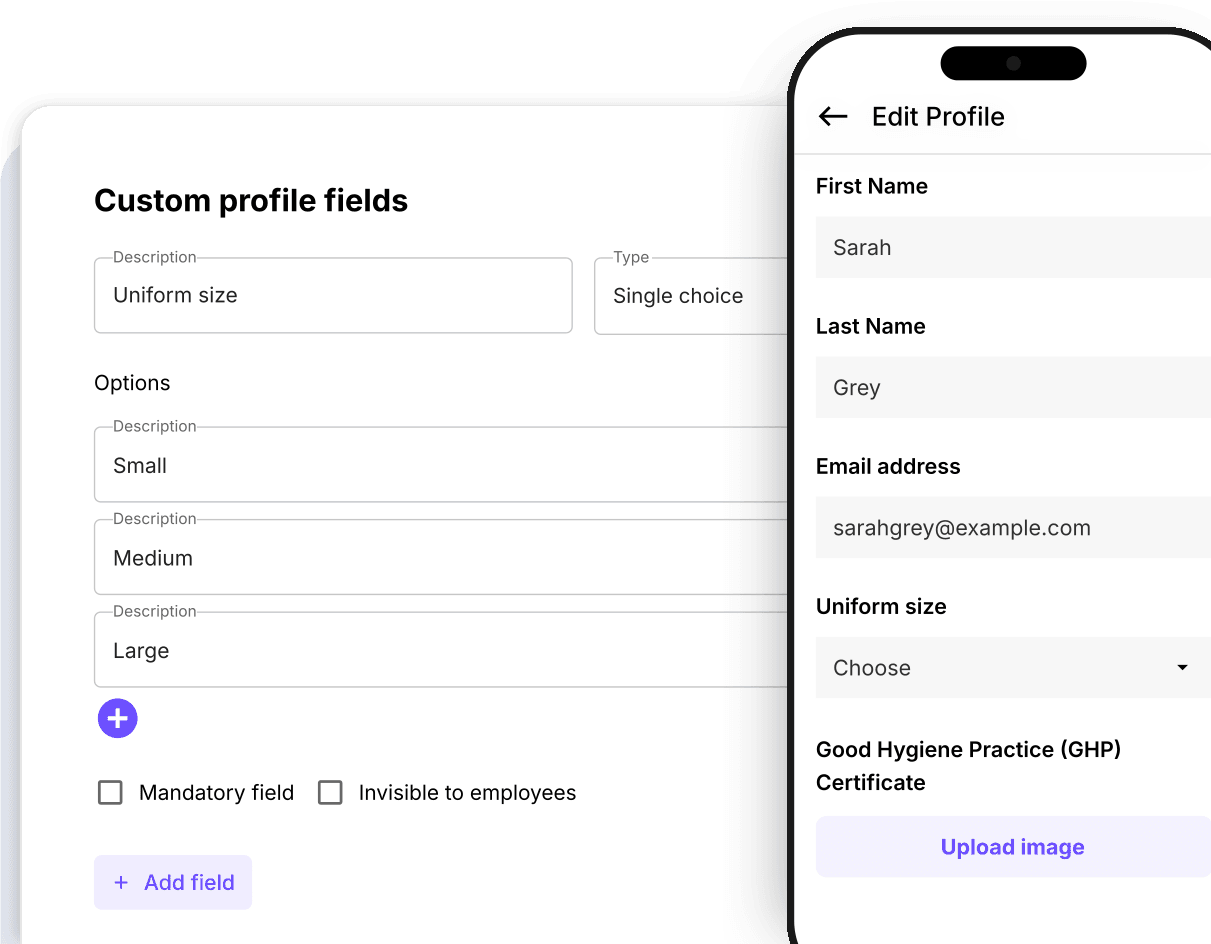
When employees accept your invitation to join Squadra, they create a profile on the Squadra mobile app and fill out all the standard and custom profile fields you defined.
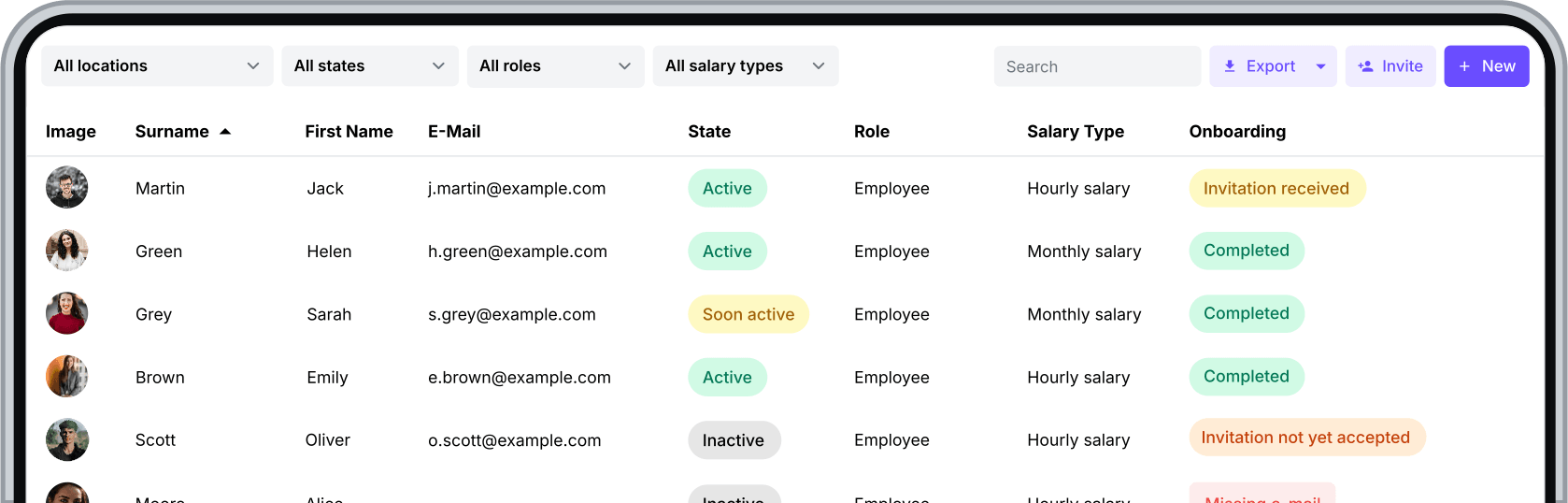
Manage your whole team from a single screen, monitor status across multiple of your business branches, employee roles & rights, and much more.
Create and send employment contracts digitally. Employees can review and sign them directly from their phone.
Discover Signable Contracts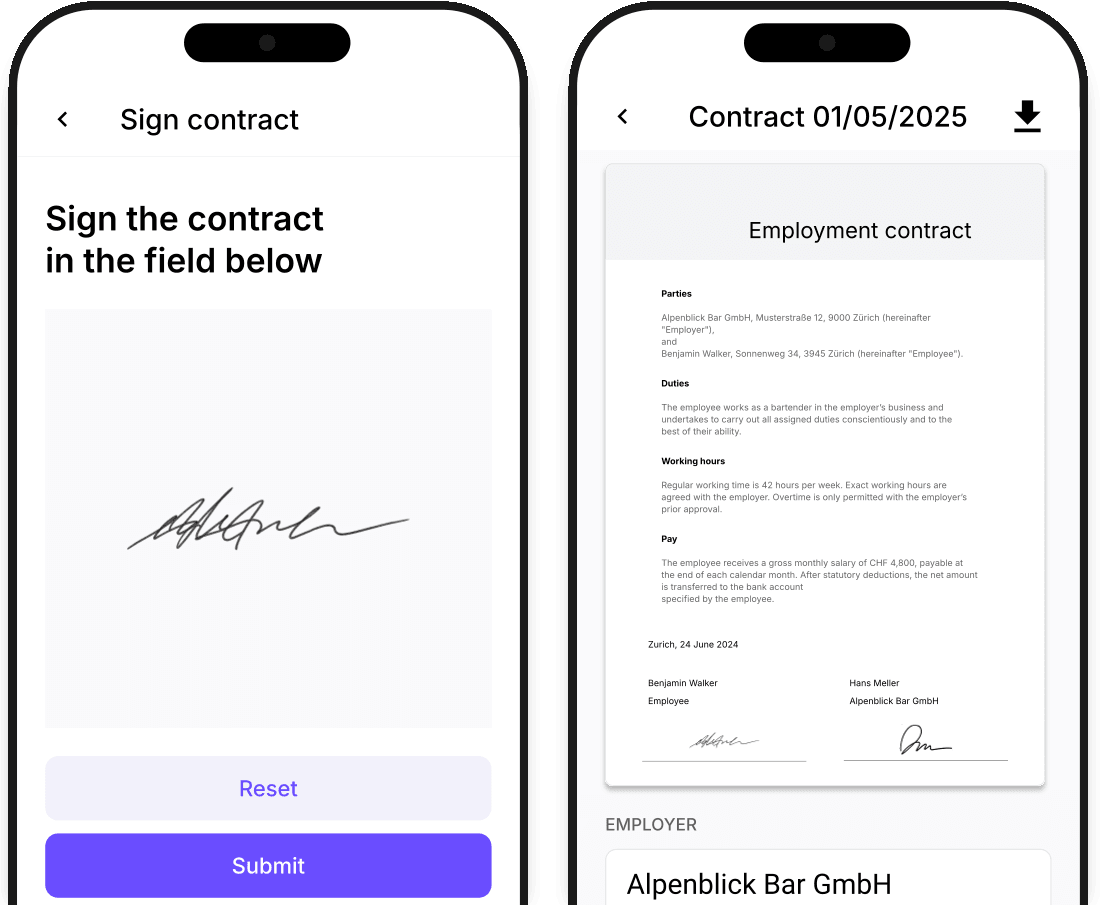
Store important documents within the employee profile and share the ones the employee needs to see.
Discover File sharing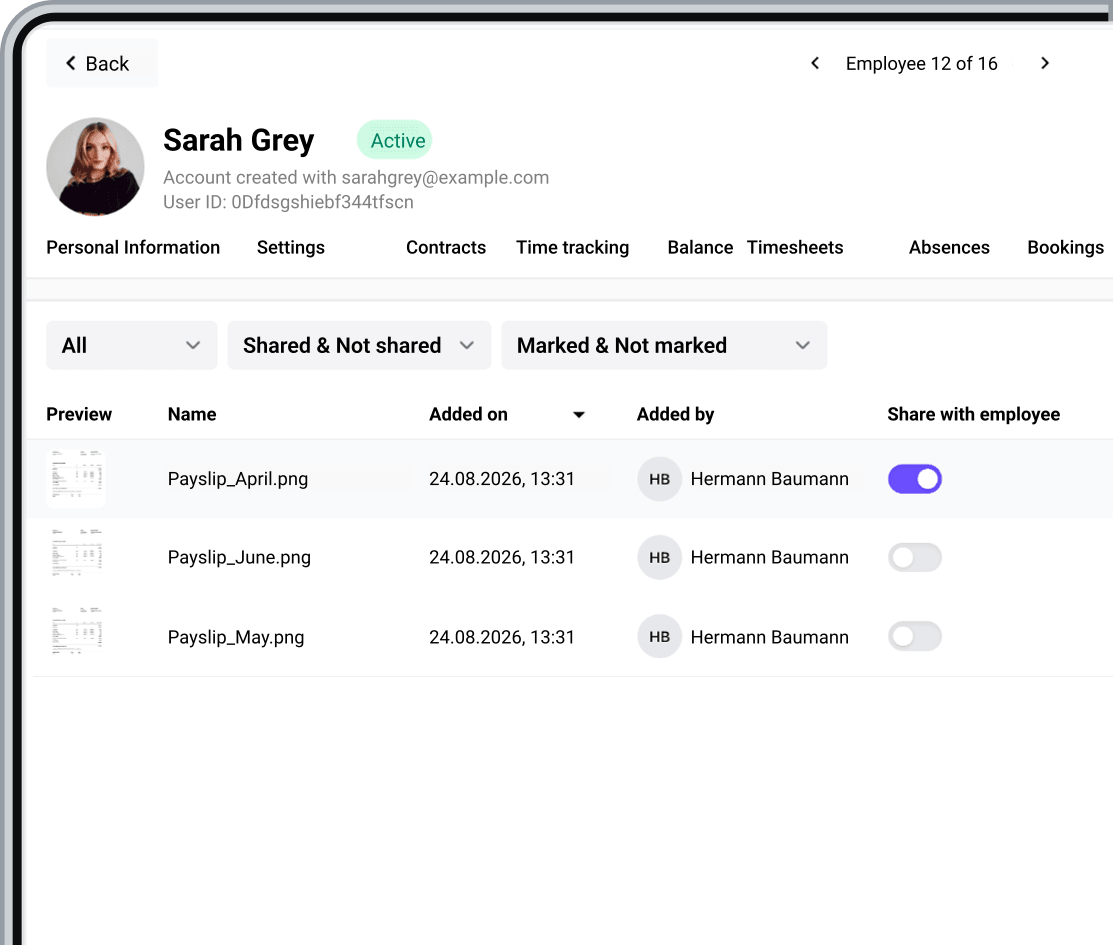
Payday
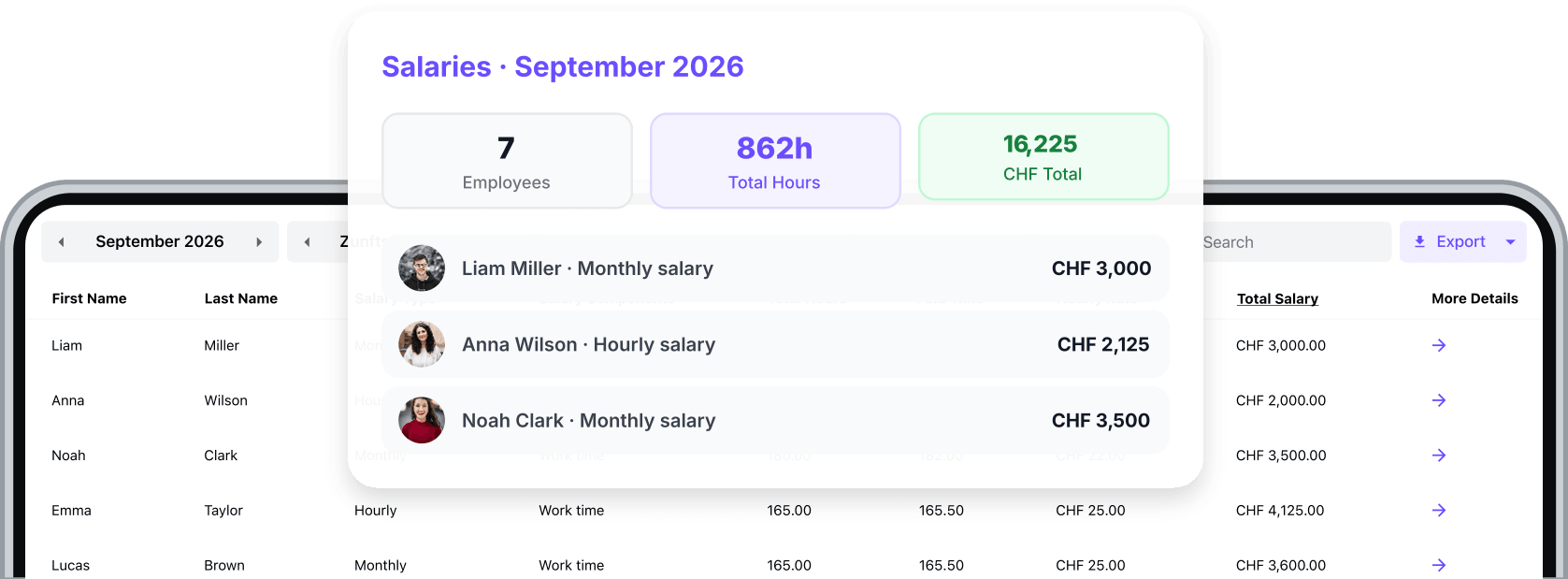
Calculate salaries from approved hours, contract terms and each employee’s supplements.
Discover salariesTrack gross wages based on actual working time instead of waiting until payroll day to find out.
Record the tip pool and let Squadra calculate each employee's share based on the rules you define.
Discover Tips management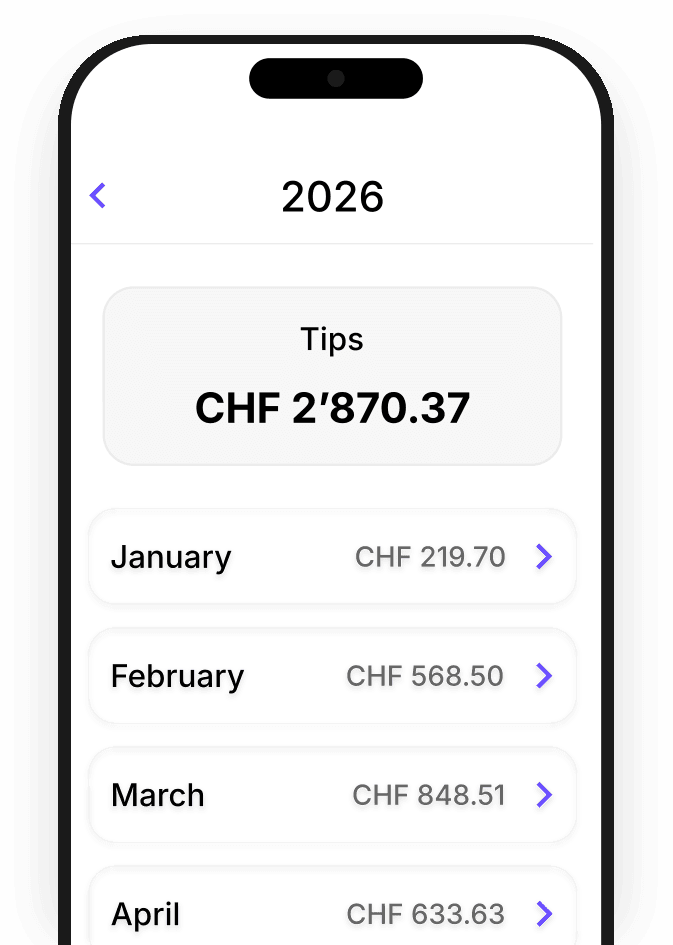
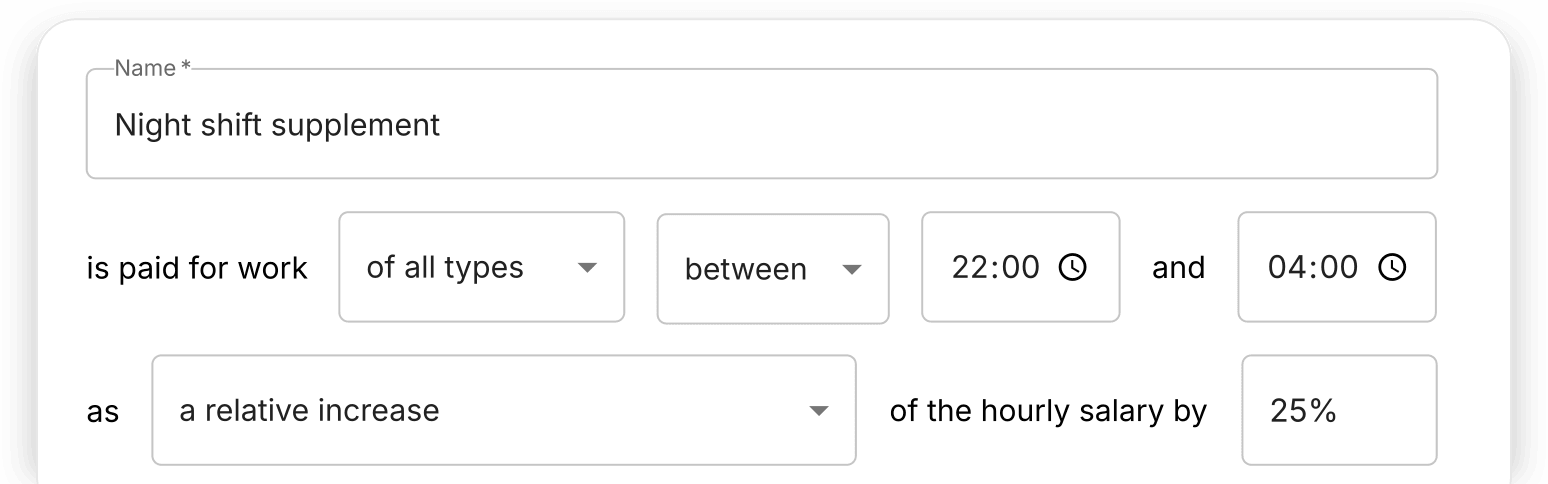
Set up salary supplements for specific hours or days, and Squadra automatically applies them when calculating pay.
Send prepared salary data directly to your payroll software without manually transferring figures or rebuilding spreadsheets.

 Add-ons
Expand Squadra with powerful add-ons.
Publish vacancies, collect applications and hire faster and with less administration.
DiscoverExperience the benefits of smarter shift management. Start your free 30-day trial now or book a demo.